
Chapter 06
Economy & Logistics
Economy & Logistics is a working environment over one family of canonical records, not a page about them. The canvas has the whole width; the inspector opens only on what you select; every edge states why Vigil draws it.
The workbench
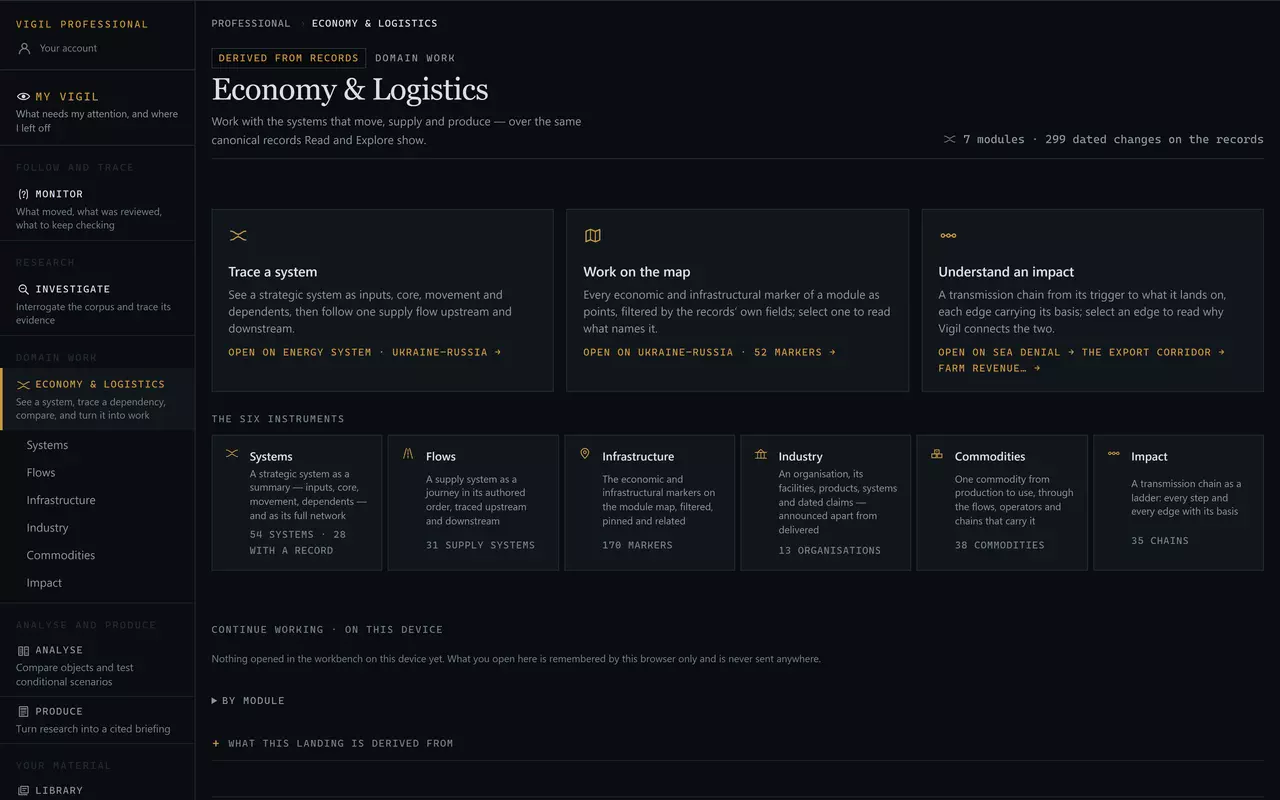
Economy & Logistics sits in its own tier of the rail — Domain work, between following and analysing — because it is neither a monitoring surface nor an analysis tool. It is where the economic and logistical records of a module are worked as a structure: 54 strategic systems, 31 supply systems, 170 economic and infrastructural markers, 13 industrial organisations,38 commodities and 35 transmission chains across 7 modules, every one of them the same record Read and Explore show, with the same dates, grades and sources.
Where the records come from
Nothing in the workbench is its own. A strategic system is asystems/ record keyed by the value the module's markers carry; a facility is a locations/ record; the body that runs it is anindustry/ record whose facility edges point at those locations and whose products point at equipment records; a supply system, an exposure object and a transmission chain are the same records the public Economy, Logistics and Impact pages print. They are maintained on the weekly cycle by the same editorial process as everything else, with the same dates, grades and sources, and the workbench reads them at the moment you open it. There is no second, Professional database — which is why a correction to a record reaches the canvas, the pin and the brief block at once, and why the workbench can never show more than Vigil has established.
What the canvases refuse to doA relational flow is not a geographic route, and its arrows say so. Unknown throughput is not encoded in any width, length or arrow. A missing stage is named, never filled. An announcement, a target, a commissioning and a delivery are four different claims and are never merged. A topology is only as complete as the relationships the records author. An assessed exposure is drawn dashed because it is not a documented operational relationship.
One shell, six canvases — simple first
Every instrument renders into the same shell, and the shell shows only what the instrument's question needs:
- Module and search at the top; Investigate beside them searches the whole corpus.
- The instruments as a row — Systems, Flows, Infrastructure, Industry, Commodities, Impact — and the view toggle: the simple default, then the dense or geographic alternative.
- The context line: which record the canvas is drawn for (a selector), what kind it is, and how many of its kind this module holds. Counts live here, not in the navigation.
- The canvas, taking the whole width, with the register folded beneath it — every node as a list, the keyboard path to any of them, never removed.
- Layers, Changes and Pins in the toolbar, each closed until you open it: the filters this instrument supports; the dated-change axis; the compare tray.
- The inspector, hidden until something is selected, then a panel on the right (a sheet from the foot of a phone). Its first view is concise — one-sentence state, key relationships, latest change, basis, actions — and the full prose, connections, changes and evidence sit under tabs.
- Present: the canvas alone between an identity line and a status line, for a screenshot; Esc returns.
The address is the state. Module, instrument, record, view, selection, trace, opened groups and pins all travel in the URL, so a canvas you have arranged can be sent to a colleague and reopens exactly as you left it.
Systems
A strategic system as a summary: what it rests on, what it is, what runs through it, what depends on it.
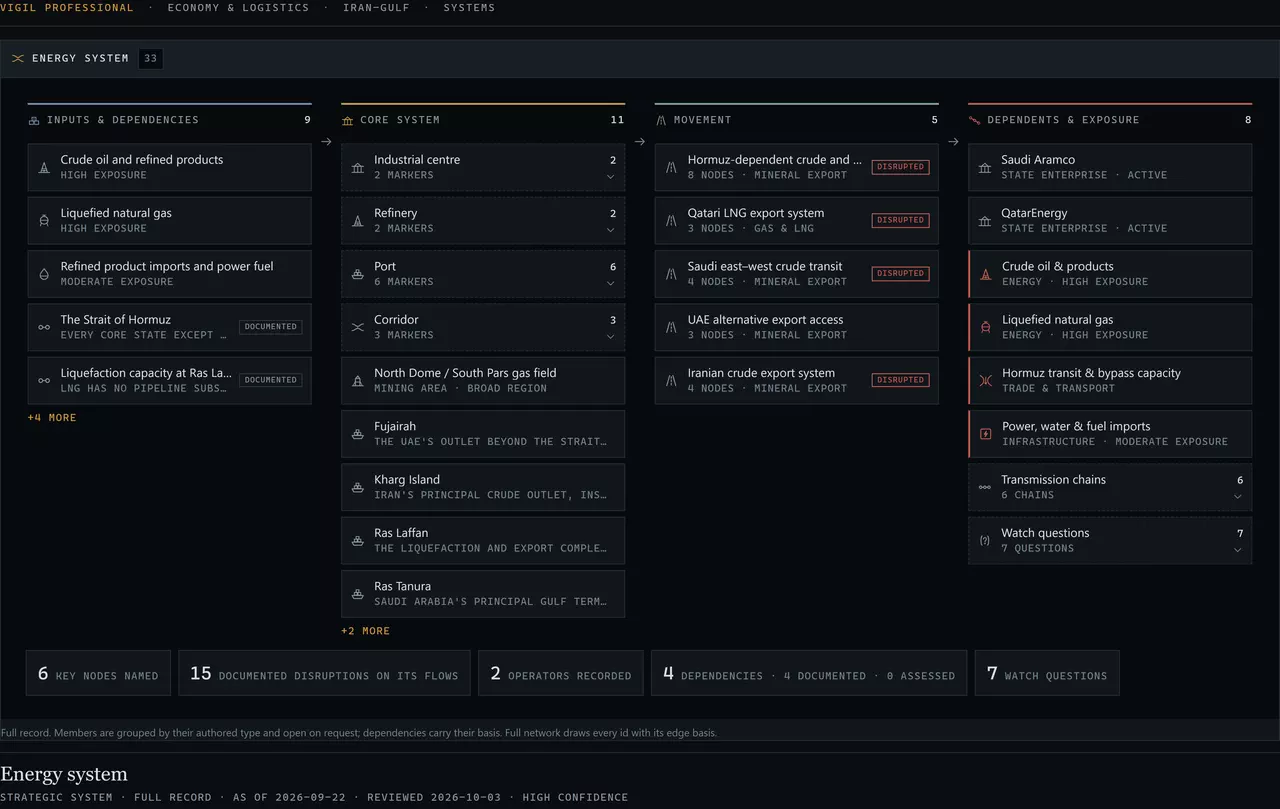
Choose a system in the selector. A system with a full record draws its dependencies and constraints with their basis; a system that exists only as a value on the module's markers says no record and draws what the markers and the other records give it. Full networkdraws every id the records carry as a column graph, each edge with its basis; Geography shows the same system on the module outline as points. Nothing joins two points.
Flows
A supply system as a journey in its authored order, traced upstream and downstream.
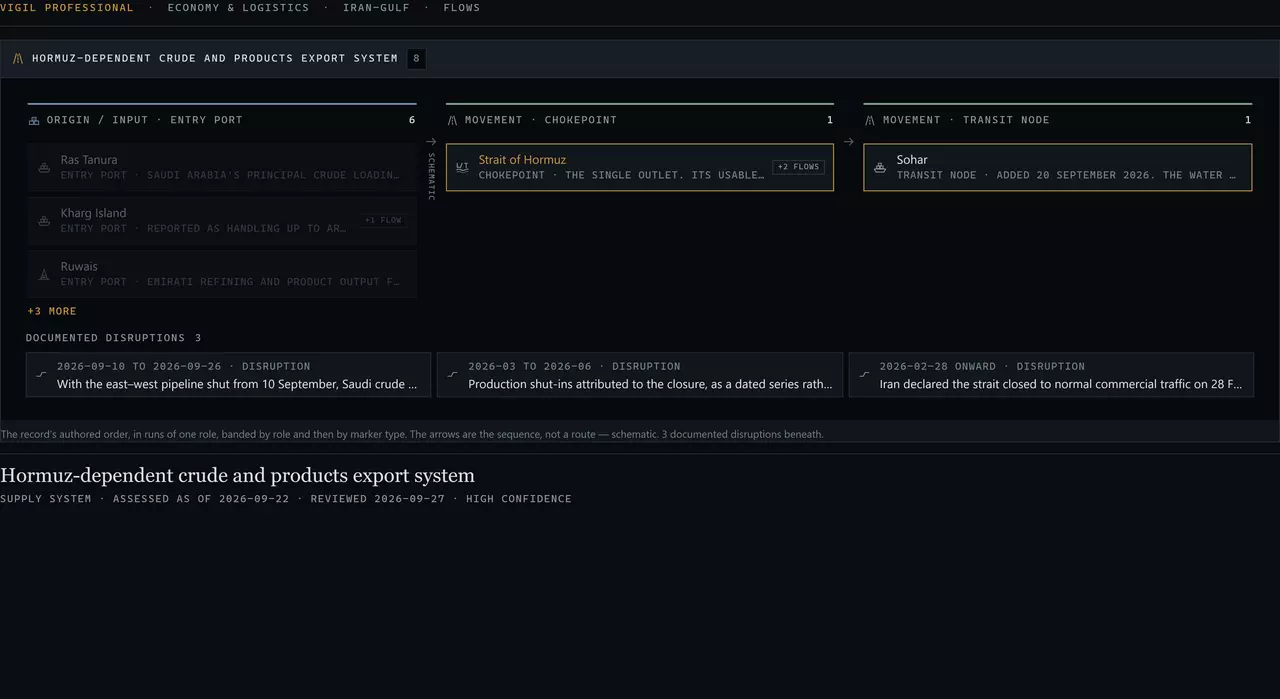
A band is derived from the node's authored role and then from the marker's type, so the journey is a projection of the record and not a model of a process. Trace upstream lights the nodes before the selection; trace downstream lights the nodes after it. Where another flow shares the node, Expand one step adds that flow as a branch beneath; Collapse removes it.
A sequence is not a routeThe arrow between two runs says the record names them in that order. It is drawn schematic so it is never read as a line on the ground, and the Map view draws no line between them at all.
Infrastructure
Map first. Points only.
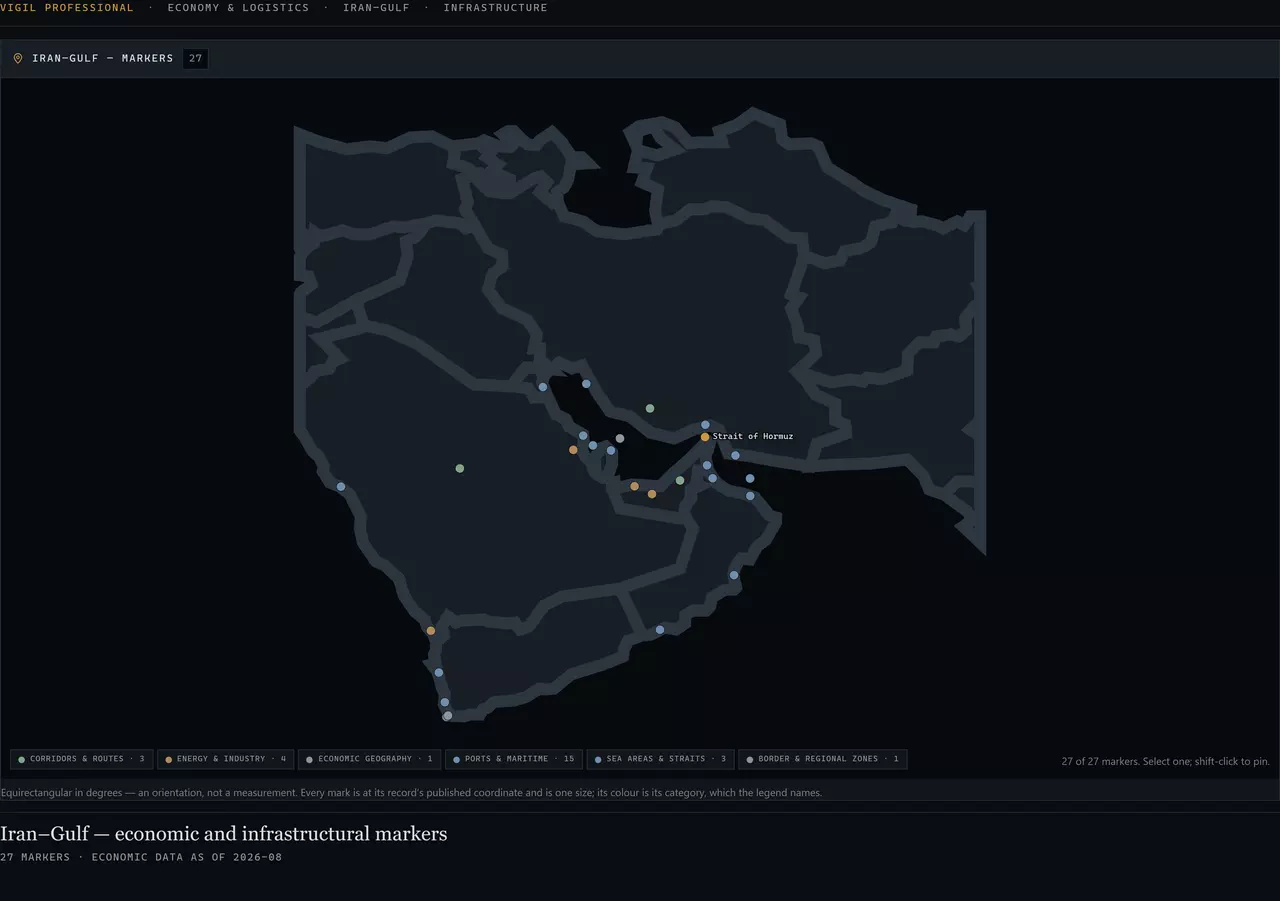
Select a marker to open its record; shift-click to pin several. From a marker: Trace system opens Systems on the system it belongs to, Show impact opens Impact on the first chain that names it, Show changes opens the axis on what touches it, and Show relationships redraws the marker as a small graph of who operates it, what it belongs to, what passes through it and what names it.
Industry
An organisation by what it has built, kept apart from what it has announced.
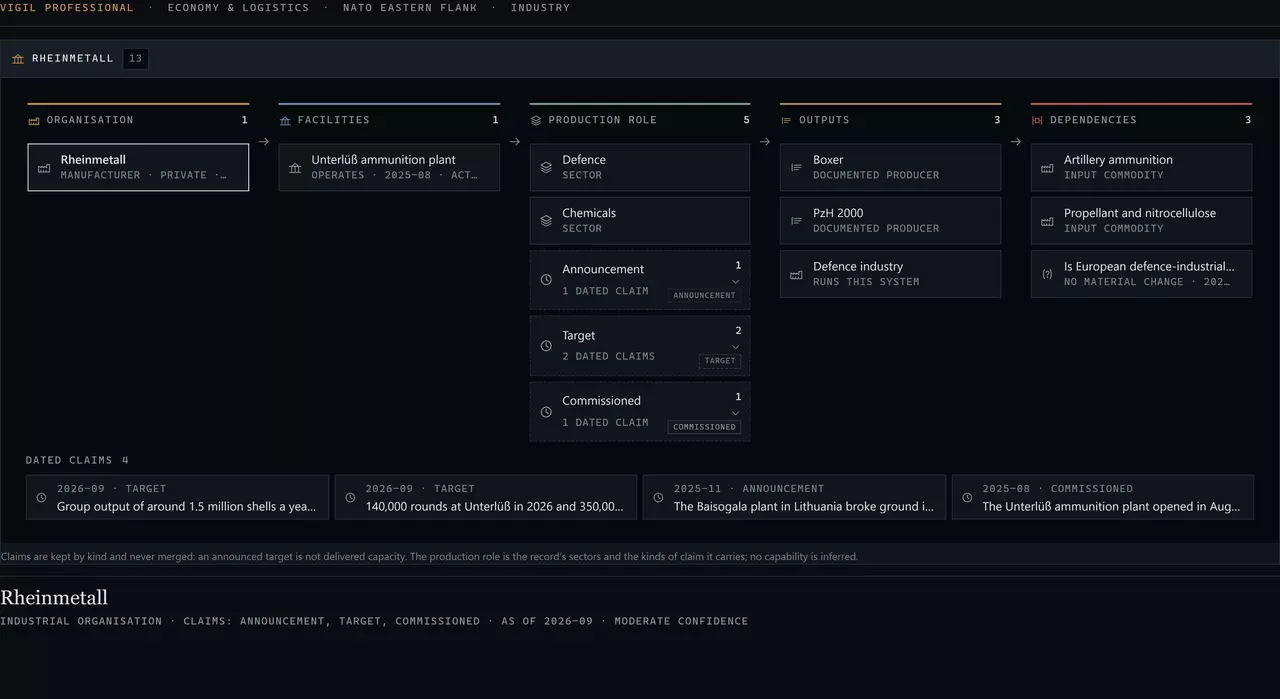
A claim is drawn by its kind and never merged: announcement,target, commissioned, delivered are four different tags, and an organisation whose claims are all announcements says so. A product is the record's statement that it produces the equipment; it is not a quantity and not a delivery. The Defence Industrial Base is this instrument filtered to the sector, not a second record.
Commodities
One commodity from production to use.
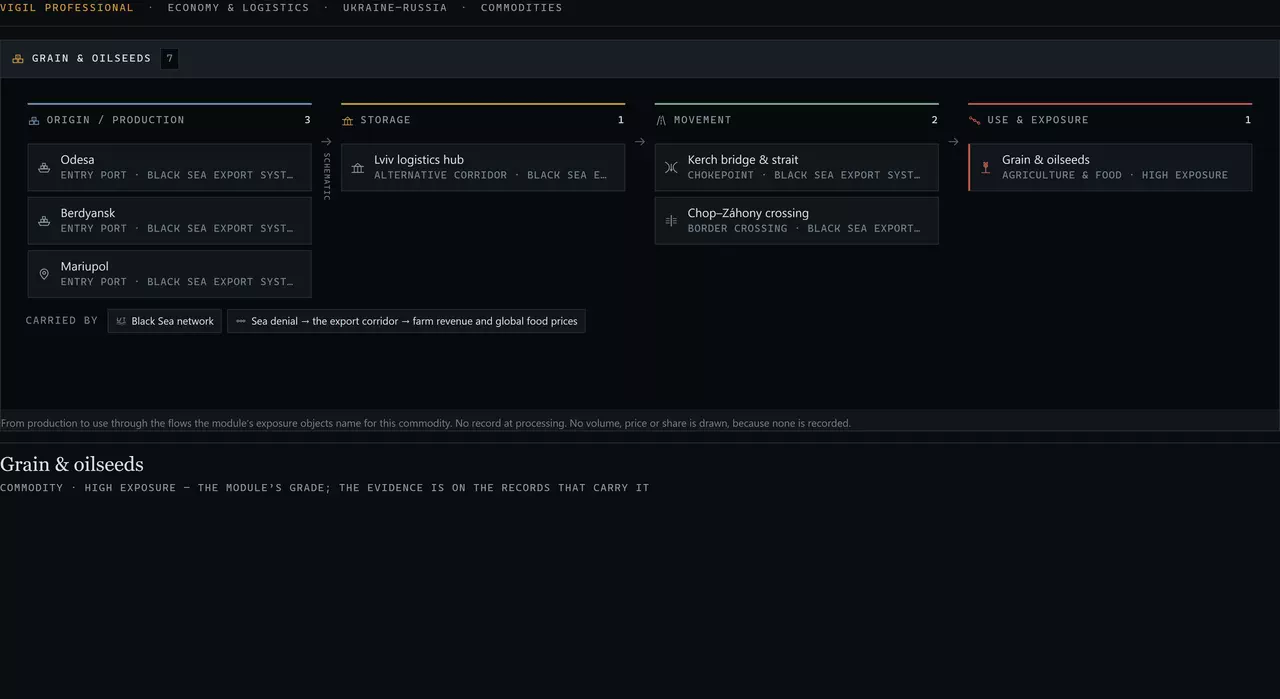
A commodity is a member of the module's economy block rather than a record of its own, so its evidence is on the objects, systems and flows that carry it, and the inspector says so. No volume, price or share is drawn anywhere, because none is recorded.
Impact
A transmission chain as a ladder, every edge with its basis.
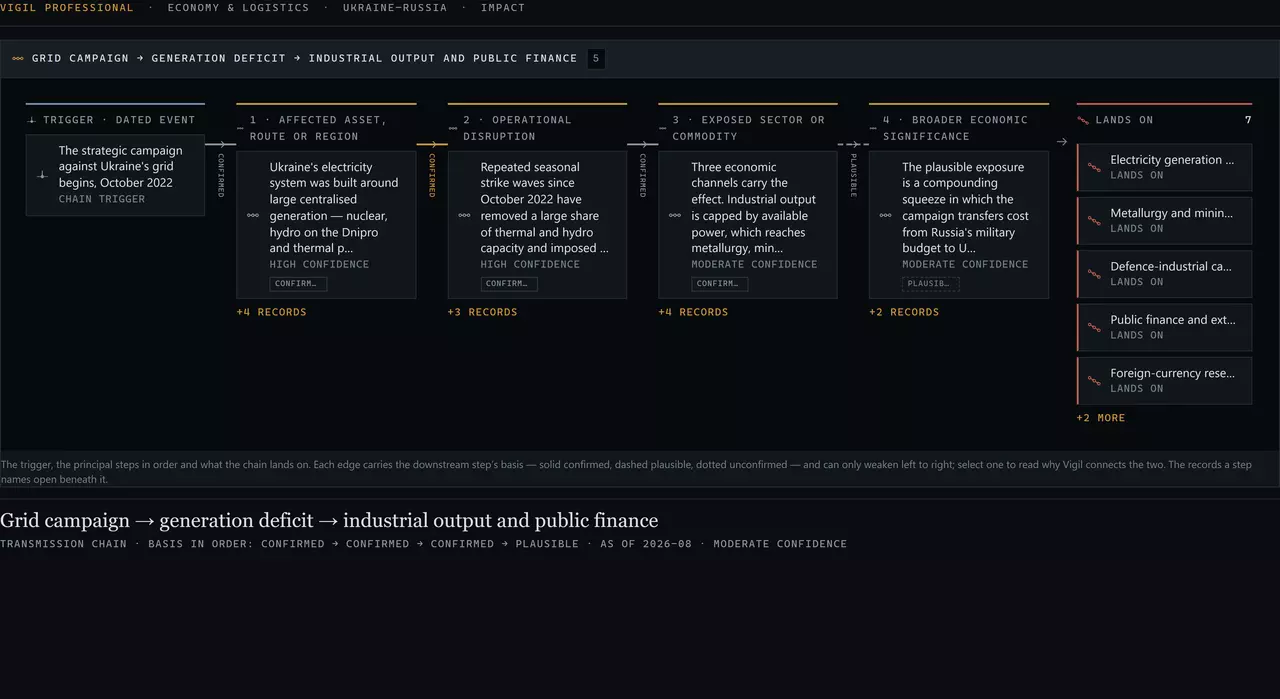
A chain can only weaken left to right — a confirmed step may lead to a plausible one, never the reverse — and it stops where the evidence stops. Select a step to read the claim it rests on; select an edge to read why the chain continues; open a step's records to select any of them. Other chains of the module are in the selector, not beside the canvas.
Reading an edge
An edge is drawn only where two records name each other by id. Its stroke is its basis.
Documented
A published source or the record’s own authored field names the relationship.
Solid.
Assessed
Vigil’s reading of the records; no source states it directly.
Dashed.
Derived join
Two authored ids that match — a node carrying a system’s value, a step naming a member marker.
Dotted.
Authored sequence
A supply system’s own order of nodes. An order, not a route.
Schematic, on Flows.
Nothing encodes a quantityNo width, length, arrow or position on any canvas stands for throughput, capacity, volume or price. Those are not recorded, so they are not drawn. A thicker line would be a claim; the workbench makes none.
Pins and compare
Pin up to six records of any kind from the inspector or with shift-click;Pins in the toolbar opens the tray. It sets them side by side in three groups — recorded attributes; dependencies and relationships; change and freshness — on the fields their own records carry. A field one record lacks says not comparable rather than blank, and nothing is ranked. Add to brief from the tray sends the records to the Brief Builder as canonical blocks.
Dated changes
Changes in the toolbar opens an axis of every dated change the module's records carry — structural changes on systems, documented disruptions on flows, claims on organisations, events, Watch reviews — at its own date and at one size. Only the selection narrows it to what touches the selected record. It shows when something was recorded to change; it does not reconstruct how the system looked before.
Into work
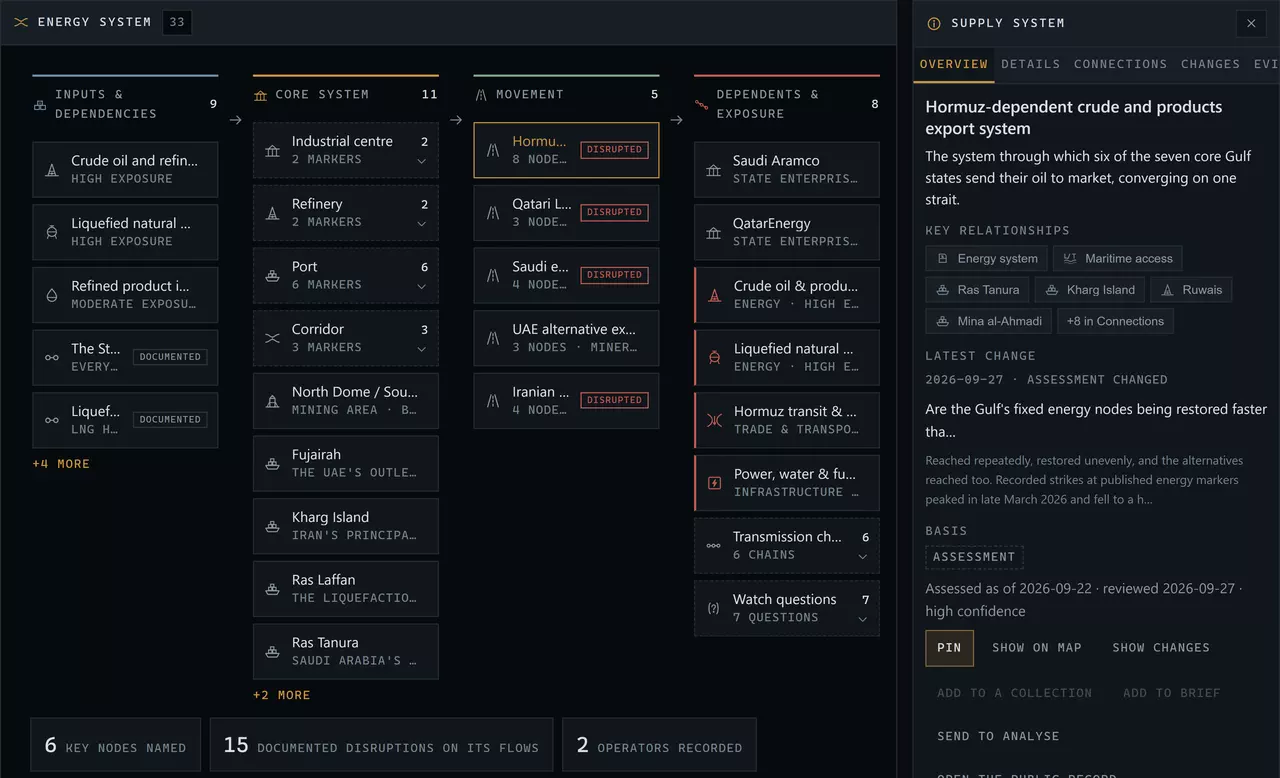
The inspector offers only what makes sense for the selection: Pin; Trace upstream and downstream; Expand or collapse; Trace system, Show impact, Show on map or Show relationships; Show changes; Add to a collection; Add to brief; Send to Analyse; and the public record and Explore views of the same record. A commodity has no reference of its own, so it points you to the objects and flows that carry it; an edge is read, not saved.
Next: Analyse — two records side by side, and one condition held.