
Chapter 11
Brief Builder
The Brief Builder is where reading Vigil and working with Vigil stop being the same activity. It assembles a briefing from the same maintained corpus you have been researching in, and hands you something a colleague can check.
The document
Start by looking at what you are making.
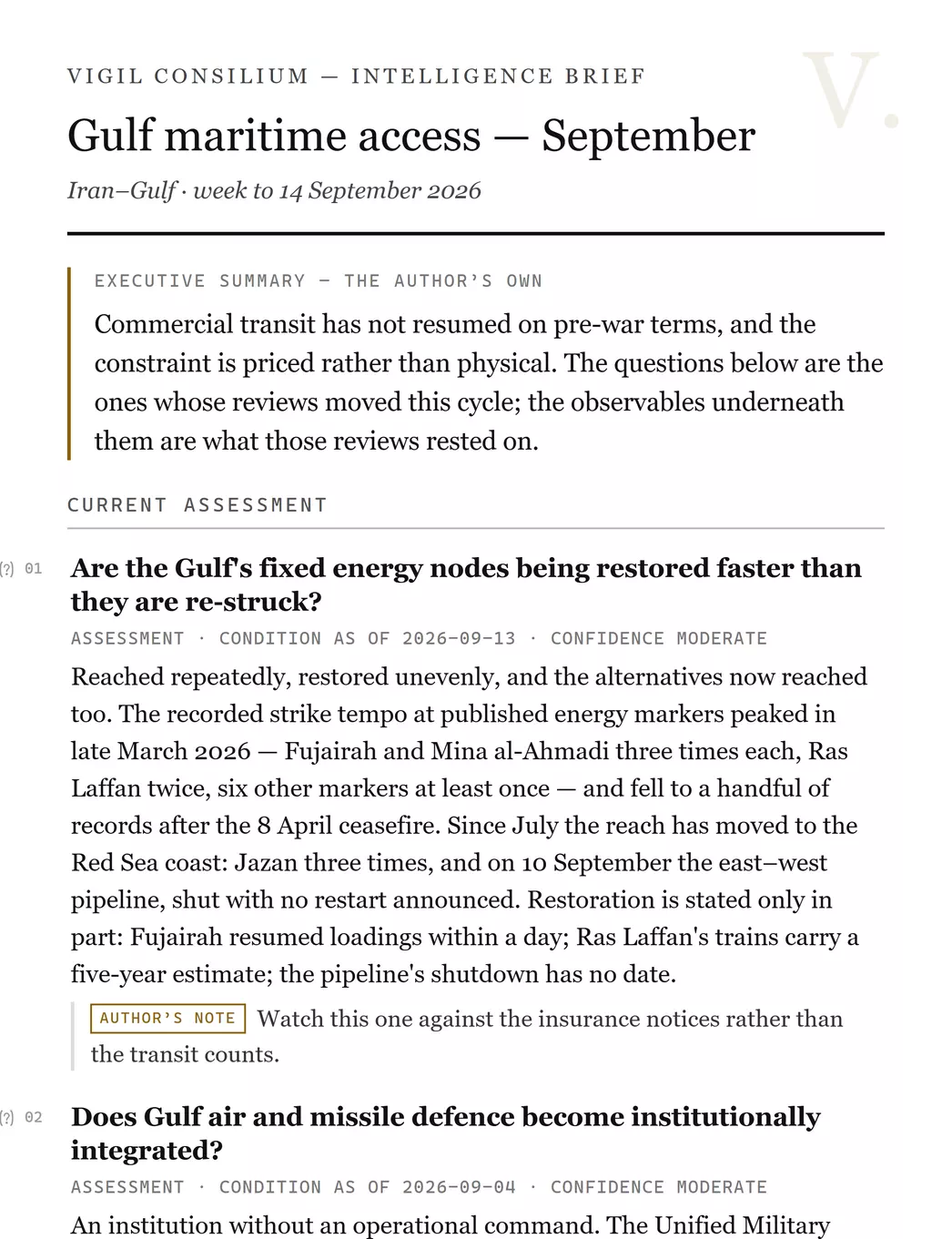
- Title and scope line — yours, typed here.
- The executive summary, marked as the author’s own wherever it appears, including in every export.
- A canonical block: the record’s own heading, its register, the date its condition is as of, and its confidence.
- An annotation you wrote against that block, printed as yours and never blended into Vigil’s wording.
What a block is
A reference to a canonical record, printed as Vigil holds it.
You insert
A question, an observable, an actor, a location, a piece of equipment, a Tempo series, a whole scope.
From anywhere in the product.
It prints
The record’s own wording, register, dates, confidence and sources, at the detail level you chose.
You cannot edit any of it.
It stays live
The draft holds the reference. A correction to the record reaches the draft; a retirement makes it say so.
Never a copy.
Why you cannot edit a record's wordingA briefing whose quotations could be adjusted in place is not evidence of anything: a reader would have no way to tell what Vigil said from what you wanted it to say. The block is fixed so that your annotation beside it carries weight. Everything you want to say about a record, you say in your own layer.
A draft is small. A saved brief holds canonical references, the order you put them in, a cached display label and your own words — a seven-block brief is under a kilobyte. Nothing about the records is duplicated into it, which is why it cannot go stale.
Adding content
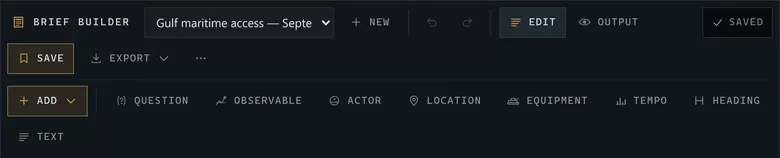
- Which draft you are in, and New to start another.
- Edit and Output — the same document, composed for working and for reading.
- Saved state, Save, and the export menu.
- Add — the canonical kinds you can insert.
- Heading and Text: the two blocks that are yours rather than Vigil’s.
There are three ways in, and you will use all of them:
- From the surface you are on. Anything with an Add to brief action sends itself to the active draft — a Watch question in Monitor, an observable in Investigate, a comparison row, a scenario run, a Tempo series.
- From the Records panel inside the Builder, which lists the module's canonical objects by kind and filters as you type.
- From your collections, which is the fastest route if you did the research first — the working set is already assembled.
Set the active brief before you research. If a draft is open, every Add to brief you press while reading lands in it. Doing the research first and the collecting afterwards costs a second pass.
Your own layer
Three things in a briefing are yours, and all three are labelled as yours:
- The summary — the executive line at the top, in the first person if you want it.
- Headings and paragraphs — the Heading and Text blocks, anywhere in the document.
- Annotations — a note attached to one canonical block, printed beneath it as author's note.
The document panel counts them separately as author blocks, so you can see at a glance how much of a briefing is Vigil's and how much is yours.
Object blocks
An actor, a location or a system, printed compactly to orient the reader.
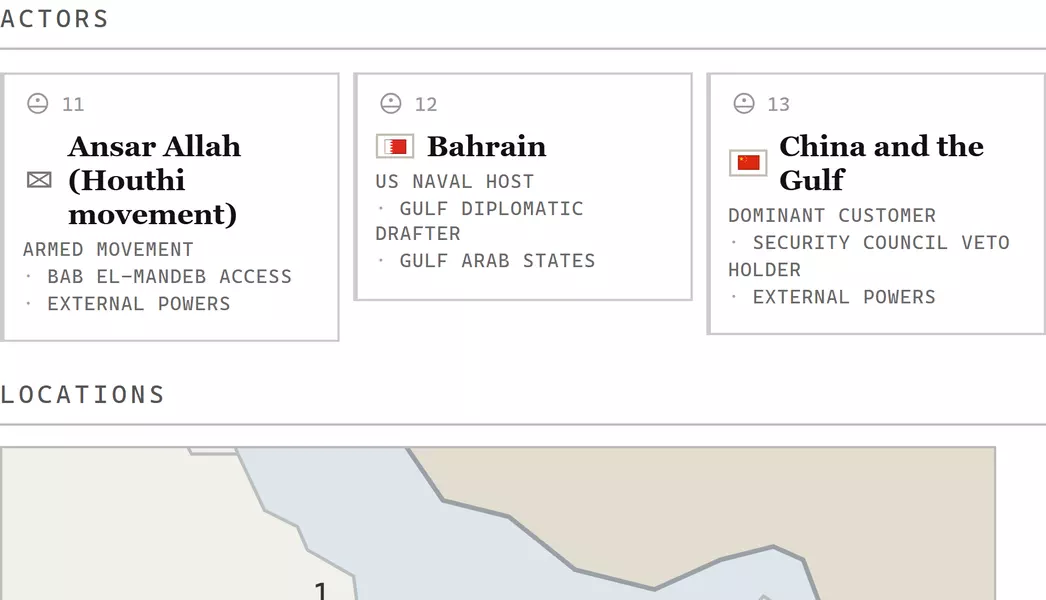
An object block is not a dossierIt prints three or four lines to orient somebody reading your briefing — who this is, and why they are in the document. The full record stays canonical and one link away. Reproducing a whole profile inside a briefing would bury your argument in reference material.
A Locations section prints the module's own coastline with the places your briefing names marked at their published coordinates. It is drawn into the document, not just onto the editing canvas — so it is in the PDF.
Tempo in a briefing
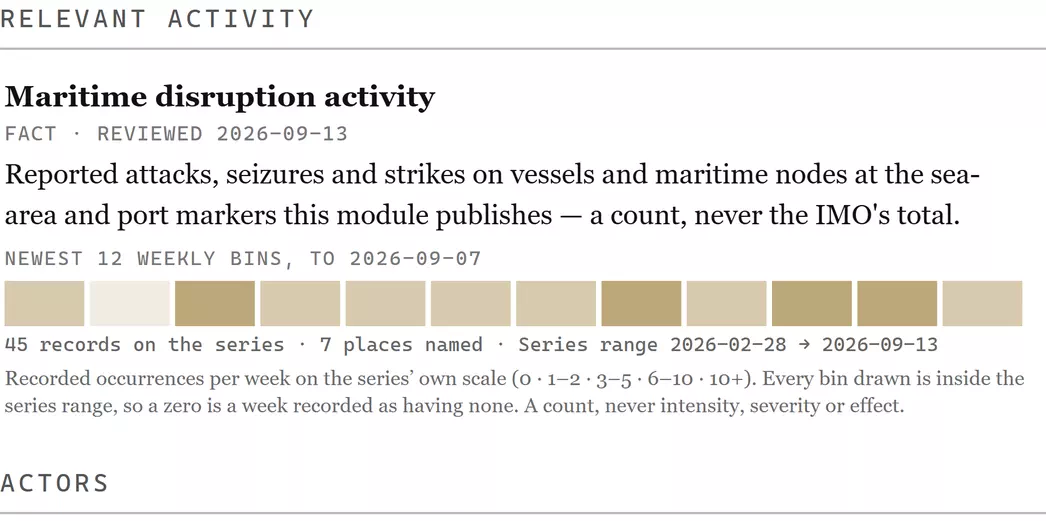
The strip carries its own ruleA Tempo strip in an export prints the inclusion rule, the coverage, the bin size and the sources with it — so a reader who was not in the room cannot take it for an intensity. It is a count of recorded occurrences, in a briefing exactly as it is on the Tempo Lab.
Detail levels
The Detail control in the document panel governs how much of each record prints — from an identity line to the full record with its evidence. Change it once and the whole document recomposes; every export is generated from the document at the level you are looking at.
Output and exports
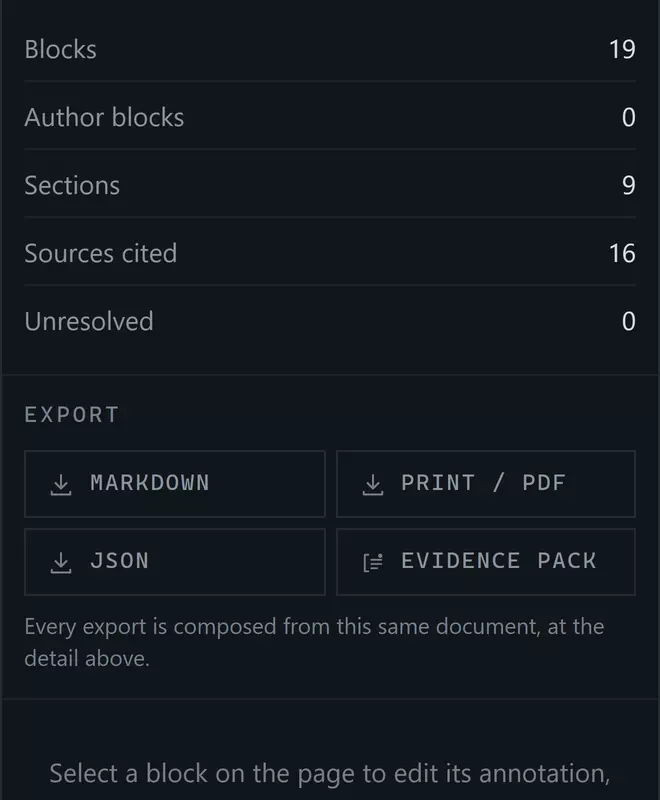
- What the document contains: blocks, how many are yours, sections, and sources cited.
- Unresolved — blocks whose record is no longer published. Aim for zero before you send.
- Four exports, all composed from this same document at the detail above.
- Print / PDF
- The document as a paper briefing, through your browser's own print dialogue. This is the format to send to somebody who will read it rather than process it — the figures and the Locations map print with it.
- Markdown
- The document as structured text, for pasting into another system or editing further. Deliberately carries no figures: a coastline is not text.
- JSON
- The document's structure — every block, its canonical reference, its register, its dates and its sources — for a system that will read it programmatically.
- Evidence pack
- The citations behind the briefing, assembled as their own document: what each claim rests on, and where it came from. This is what you send when somebody asks you to show your working.
Only these fourThere is no Word export, no PowerPoint export and no integration with another tool. Print/PDF and Markdown are the two routes into whatever you use, and both are lossless in the ways that matter.
A draft over time
Come back to a brief three weeks later and it is still correct — or it tells you, in as many words, that one of its records is no longer published. That is what Unresolved counts, and an unresolved block prints a line saying the record was withdrawn rather than vanishing, so a reader of the export can see that something was there.
This is the practical reason to build a recurring briefing in Vigil rather than in a document: next week's edition is this week's with four blocks changed, and the other fifteen have updated themselves.
Next: Method in use — what each label on these blocks commits Vigil to.