
Chapter 05
Investigate
Investigate is a working surface over the corpus, not a search box. A query fills the panels around it, and selecting a result opens what it rests on and what it connects to without leaving the page.
The workspace
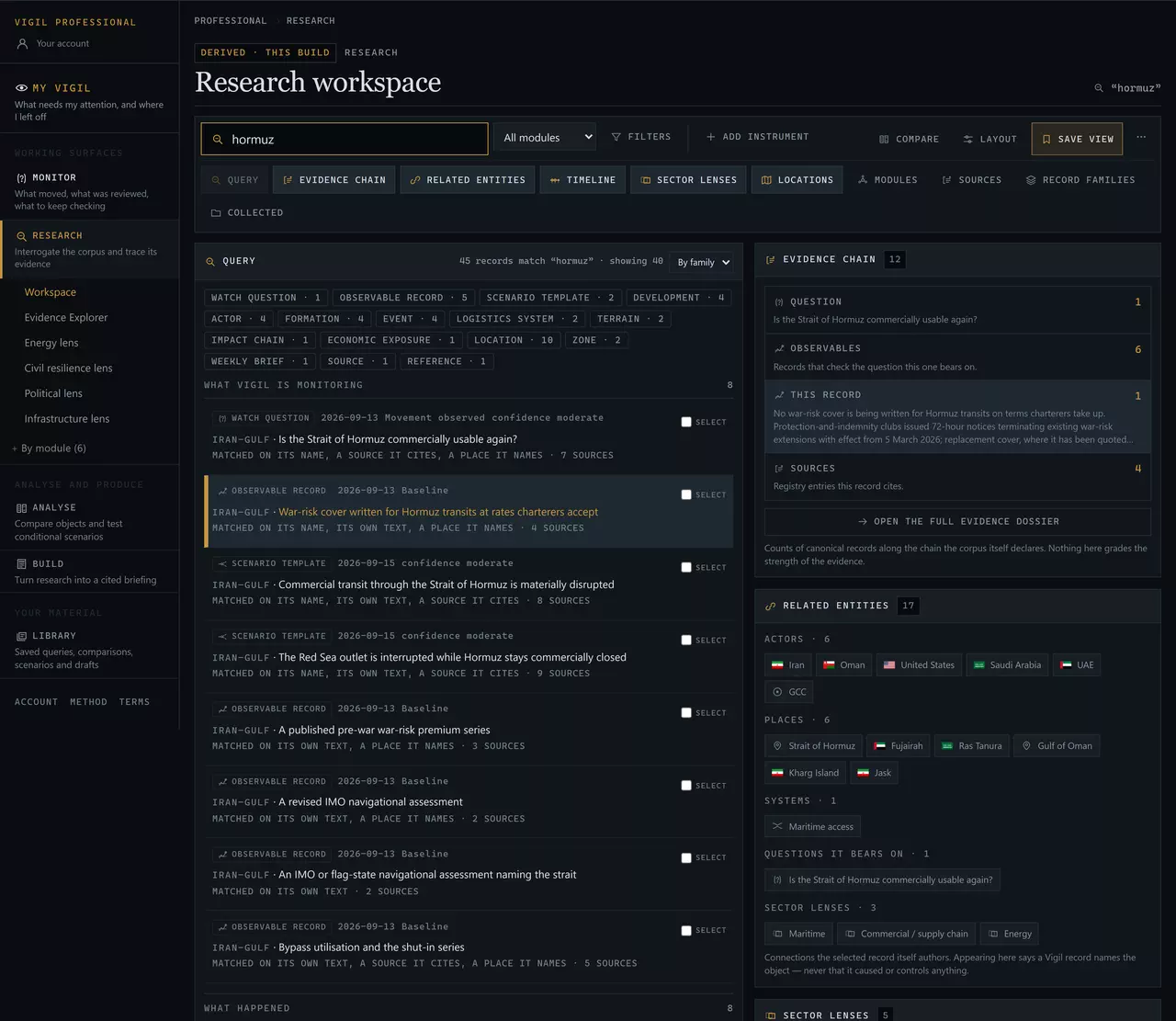
The panels are instruments, like Monitor's. Add or remove them, change the layout, and save the arrangement as a view — the controls are the same row and behave the same way. Selecting a result fills the inspector beside the list; on a narrow screen it opens over the list as a sheet, andBack to results returns you to exactly where you were. The inspector's overview ends with the next moves — the full record, its evidence, Add to brief — and every other action is on itsActions tab. Open a record and the browser's Back button returns you to the same query, the same selection and the same place in the list.
Querying
Ask for a thing, not for a document. A place, an actor, an instrument, a system, a phrase from a record.
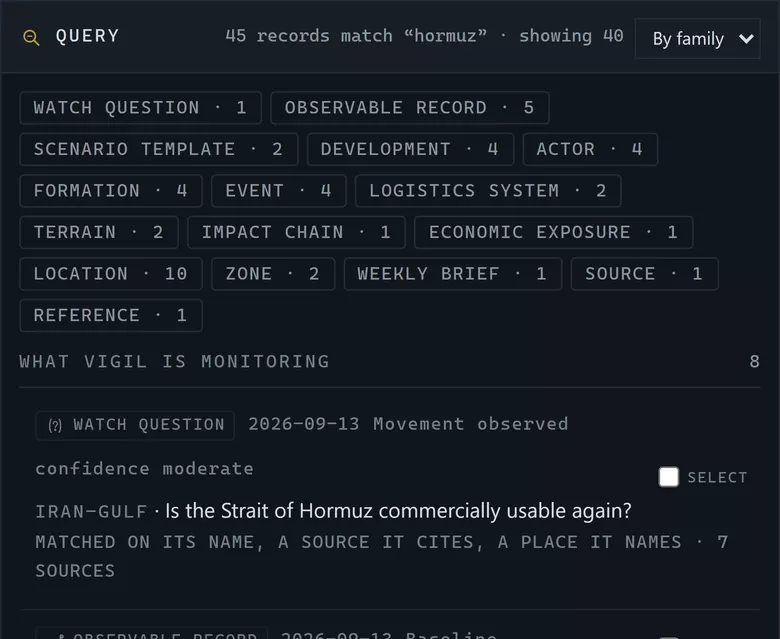
- How many records matched, and how many are shown. Nothing is ranked by importance.
- Families. Press one to narrow to it — the fastest way from a broad result to the few records you want.
- Why each result matched: its name, its own text, a source it cites, or a place it names.
Before you type, the list shows the questions and readings reviewed most recently, with every family above it — a place to start rather than an empty box. Filters narrow by module, actor, location, the question a record bears on, confidence, strategic system, sector lens and date. Every filter is in the address, so a query you are pleased with can be sent to a colleague or kept with Save view.
Save the query, not the results. A saved query re-runs against the corpus as it is today. A list of results captured six weeks ago would be a snapshot of a corpus that has since been reviewed — which is the one thing a research tool should never hand you.
Evidence
Every reading in Professional sits on a chain you can walk to a named source.
Watch question
The standing question the reading bears on.
Public.
Observable
What is being checked, where it stands, what would move it, what it cannot establish.
445 records.
Evidence entry
A dated line naming the canonical development, event, Note or brief it rests on.
1106 entries.
Source
The registry entry the basis cites, and every other place it is used.
292 sources.
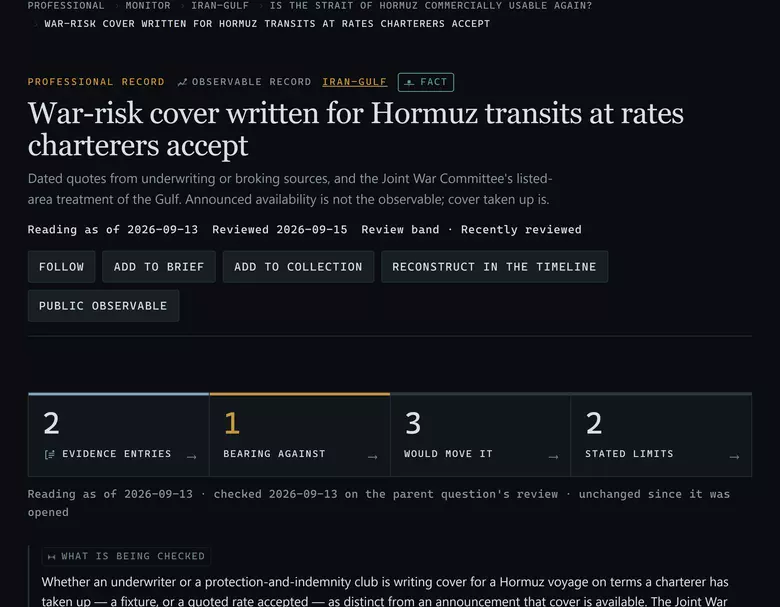
- The register. This reading is a recorded fact rather than Vigil’s assessment.
- Three dates: what the reading is as of, when it was last reviewed, and its review band.
- Four counts: dated evidence, how much of it bears against, what would move the reading, and how many limits it states.
- What is being checked — the test, written before the reading.
Reading an evidence entry
Each entry carries a date, a direction, what it bears, and the canonical record it rests on.
- Toward — it bears toward the observable being met.
- Against — it bears against it.
- Neutral — it bears on the observable without direction.
Directions do not sumFour entries toward and one against is not a score of three. The direction says how one piece of evidence bears; nothing anywhere adds them up, and the reading is the editor's, arrived at against all of them.
The limits are the part to read first
Every observable states what this reading cannot establish. In research that is the most valuable field on the record: it tells you where you would be over-reading if you used this in an argument. Read it before the reading, not after.
The Evidence Explorer
Investigate answers "what does this rest on". The Evidence Explorer answers the other two directions: where is this source used, and what does this development affect. It is the same chain, walked from a different end, and it is how you check whether a source is carrying more weight across the corpus than you are comfortable with.
A citation count is a count of citations. It is not a measure of a source's quality, not a measure of a claim's strength, and not a ranking of one body of evidence against another.
Sector lenses
A lens reads one theme across every module your subscription covers at once.
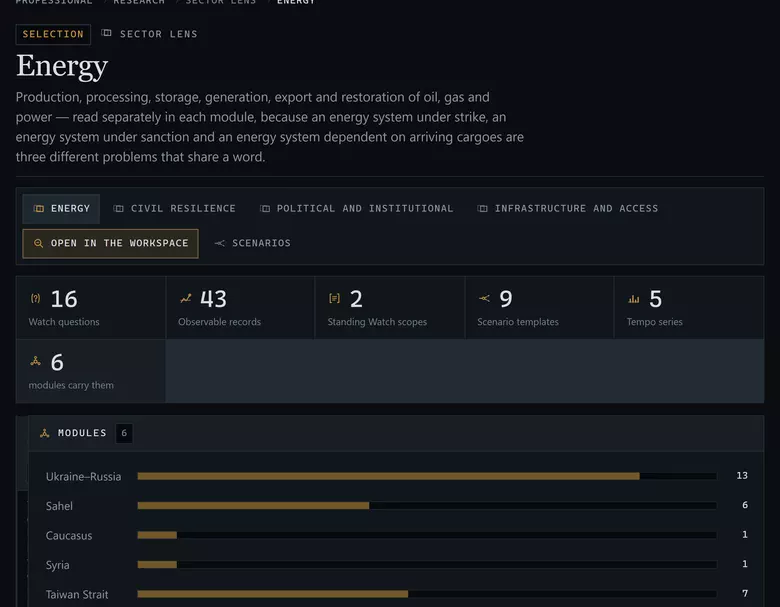
Records declare the sectors they belong to. A lens gathers everything that declares one — so Energy shows what all 9 sector vocabularies' worth of records hold on production, processing, export and restoration, wherever in the world it sits.
- Security / military
- Force posture, defence arrangements, command and the conditions of armed confrontation.
- Energy
- Production, processing, export and restoration of oil, gas and power.
- Maritime
- Straits, ports, shipping, cover and the physical, commercial and legal usability of sea routes.
- Commercial / supply chain
- Trade, freight, insurance, supply-chain continuity and the exposures of firms.
- Defence industry
- Procurement, production, transfers and industrial capacity.
- Humanitarian
- Displacement, access, protection and the civilian consequences of the system.
- Civil resilience
- Electricity, water, communications, transport, health and continuity of government.
- Infrastructure
- Fixed nodes, corridors and networks, and their disruption and repair.
- Political / institutional
- Institutions, mandates, agreements and the decisions of governments.
Use a lens when your brief is thematic rather than geographic — an energy analyst who covers four theatres reads the Energy lens first and the modules second.
Timeline
A dated sequence assembled from canonical records.
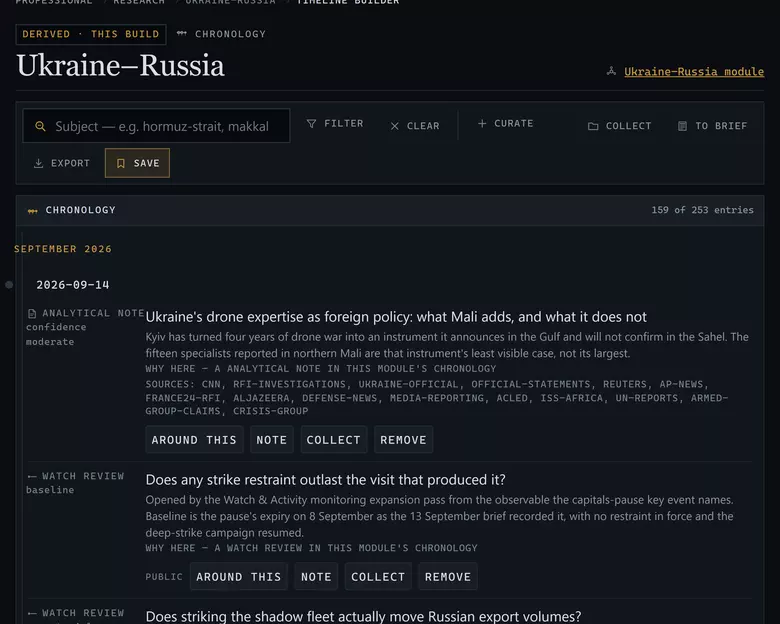
- Window and keyword. Narrow before you read — a module timeline is long.
- Record kinds. Events, developments, reviews and briefs can each be turned off.
- The sequence itself, each row linking back to the record it came from.
Three things it is good for:
- Reconstruction — what actually happened, in order, when an account you have read is vague about sequence.
- Sequence analysis — whether one thing preceded another, which is usually the question underneath "did X cause Y".
- Brief preparation — the chronology section of a briefing, drawn from records rather than written from memory.
Hold a chosen set and keep it with Save; the set reopens as a timeline of exactly those records. Scenario Lab and Compare can both send a selection here.
Next: Analyse — two records side by side, and one condition held.