
Chapter 10
Analyse
Two instruments, and neither of them predicts anything. Compare sets two records against each other on the dimensions they themselves carry; Scenario Lab holds conditions you choose and reports what the record says at them.
Compare
Two objects of one kind, on the dimensions their own records carry.
Pick a kind — Watch questions, observable records, actors, standing scopes — then pick A and B. The result is a column each, row by row: where each stands, what would move it, what has held, what evidence it rests on, what it cannot establish.
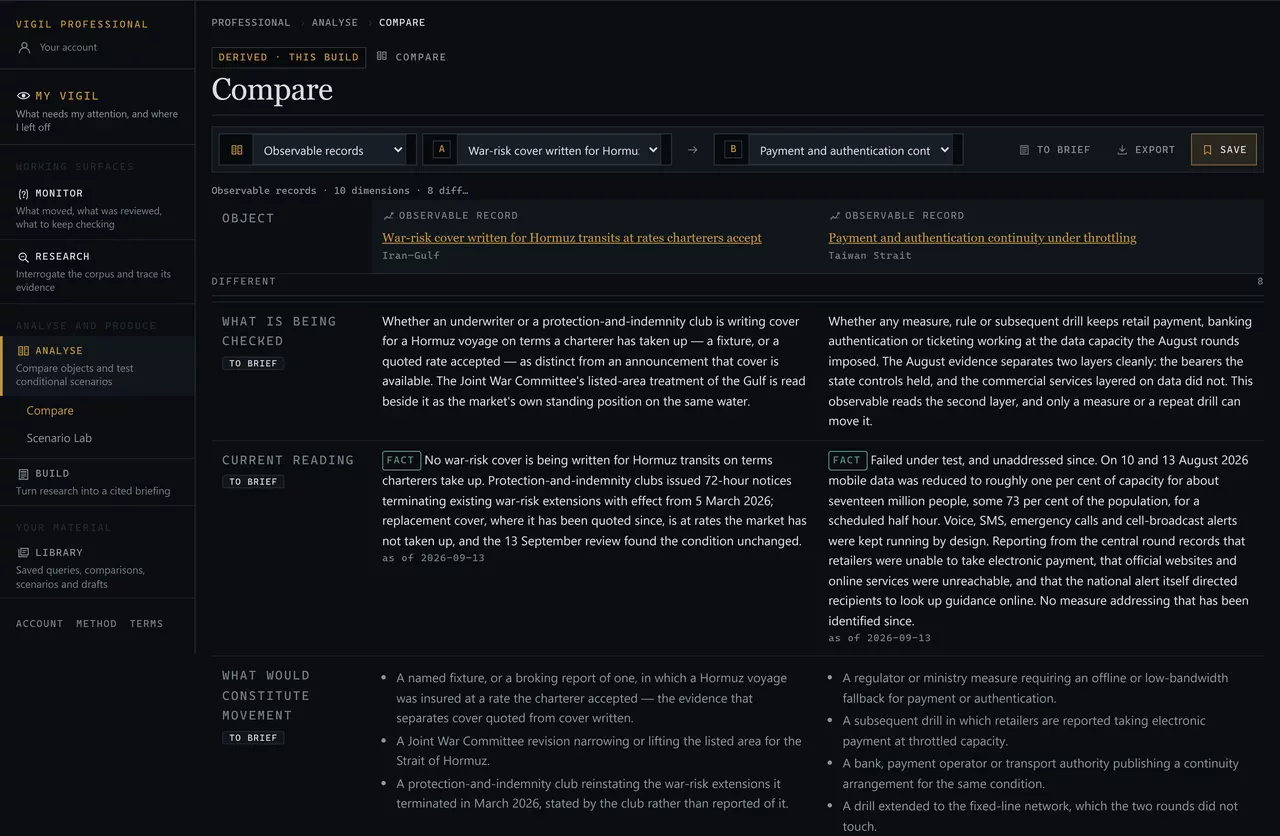
NOT COMPARABLE
Where one record carries a dimension and the other does not, the row says so and gives the reason.

- The section header: this dimension exists on one side only.
- What the left-hand record holds.
- The right-hand record, and why it is not comparable — no activity series bears on this question.
NOT COMPARABLE is a resultIt is not a gap, not a failure and not something to work around. Filling the cell in would produce an empty column a reader takes for a zero — and a zero is a claim. There is no winner, no score and no forced symmetry anywhere in Compare.
A comparison can be saved, taken into the Brief Builder row by row with To brief, or exported as Markdown.
Scenario Lab
Hold a condition, and read the record at it.
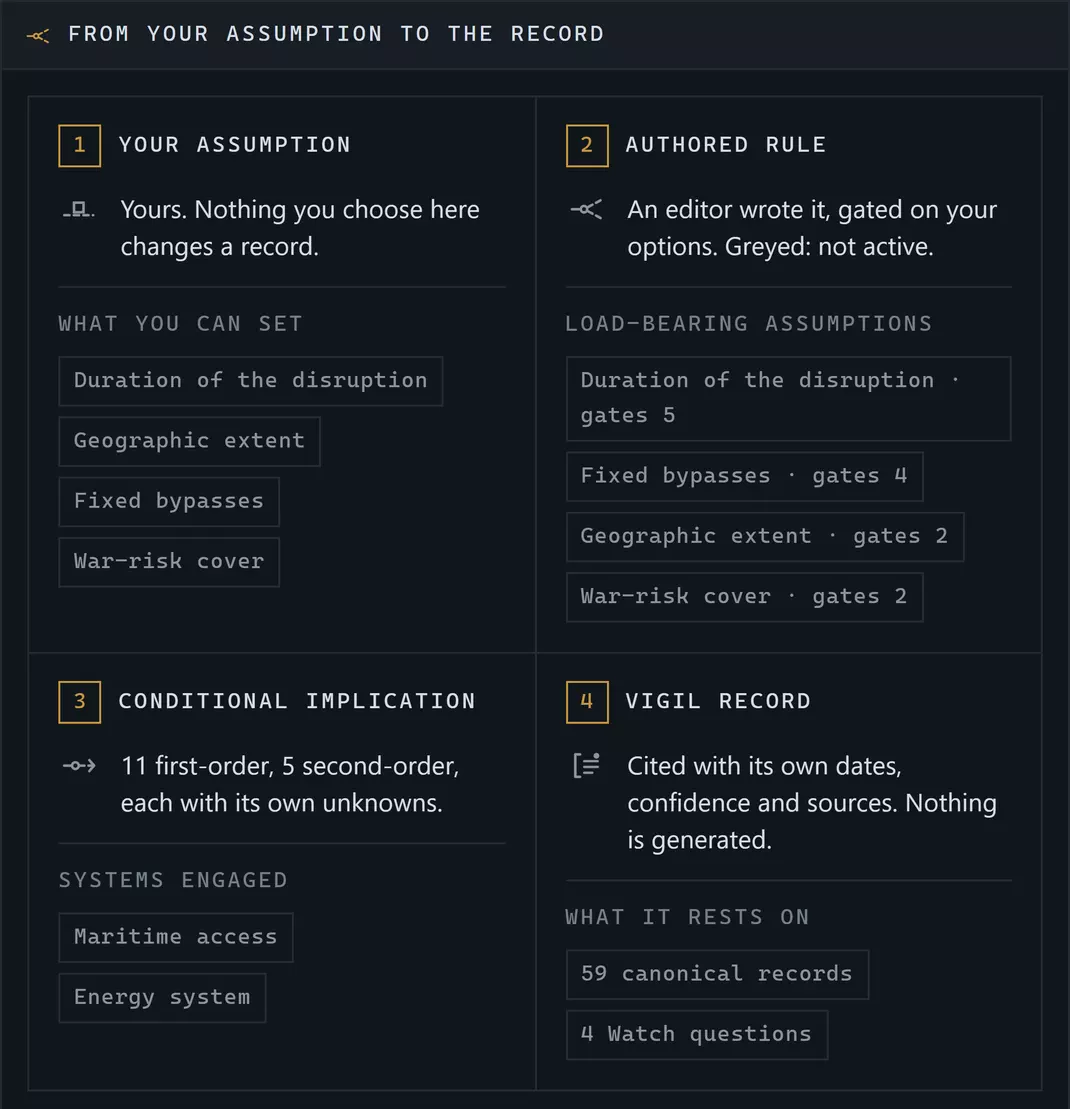
23 templates across 8 of 8 modules. Each is an authored question — if this were the case for a stated period, which parts of the recorded system become relevant, affected or stressed? — with the conditions you can set, the rules that respond to them, and the records those rules rest on.
Your assumption
A condition you choose to hold: a duration, a geographic extent, an instrument in force or not.
Yours. Vigil does not say it will occur.
Authored rule
An editor wrote it, gated on your options. A rule your choices do not meet is shown greyed rather than hidden.
Nothing is generated.
Conditional implication
What follows inside the recorded system if those conditions held — first order, then second.
Each states its own unknowns.
Vigil record
The canonical records the implication rests on, with their own dates, confidence and sources.
Checkable, one link away.
Setting assumptions
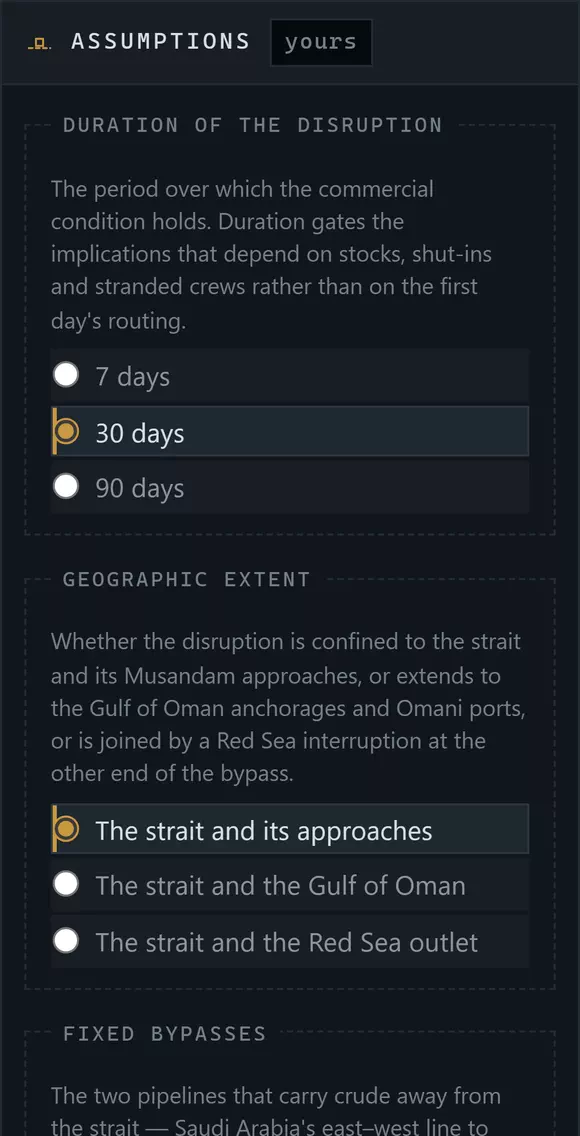
- The rail is marked “yours”. Everything in it is your choice.
- Each family explains what it governs before it offers options.
- The selected option. Changing it re-gates every rule that depends on it.
The run's figures update as you change them: how many implications are active of how many the template holds, how many conditions would invalidate the premise, how many canonical records are engaged, and how many things it does not model.
Reading a run
- First and second order. First-order implications follow from the assumptions; second-order ones follow from the first. The distinction is the template's, and it is worth respecting — a second-order implication carries the uncertainty of everything above it.
- Greyed implications are rules your current set does not reach. They are shown so you can see what the template holds and what it would take to get there.
- Invalidators are the conditions that would make the premise itself wrong. If one of them is on the record, the run is answering a question that no longer holds — read them first.
- Not modelled is the list of what the template deliberately does not cover.
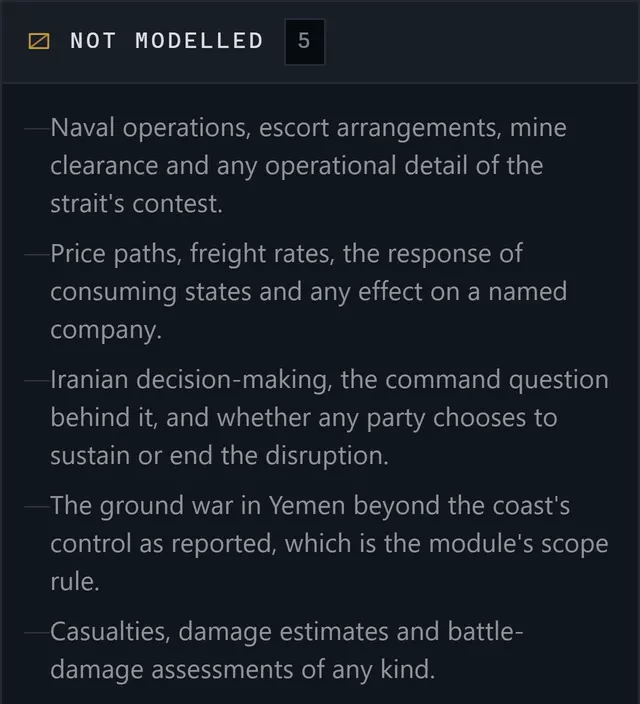
Scenario Lab does not forecastA run carries no probability, no likelihood, no score and no horizon. It never says a condition will occur, is likely, or is more likely than another. It says: if you hold this, here is what the record says becomes relevant, and here is what it cannot tell you. The restraint is the feature — a scenario that predicted would be worth less, because nothing in it could be checked.
Keeping a run
Save run stores the assumptions you held, not the implications they produced — so reopening it re-runs the template against today's records under the same conditions. If the template has since been retired, the saved row says so.
Collect takes the records a run engaged into a collection. Timeline puts them in date order. To brief sends the run — with its assumptions stated — into the Brief Builder. Export writes it out with its citations.
The rules that bind both instruments are public: see the Professional methodology.
Next: Brief Builder — turning any of this into something somebody else can check.